

Sometimes I find there are annoying little things that I don’t know how to fix on my Linux systems, but aren’t THAT bothersome that I can be bothered to dig a bit deeper and to find the answer … setting icons for custom desktop shortcuts is one of those.
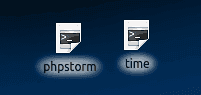 Without an icon, all the shortcuts are created using a rather boring - and frustratingly identical -cog icon, or command line icon. Now, I’ve put up with this for months because I tried going through the settings to find how to change the icon and I simply couldn’t see it. Today, after the fourth time of launching PHPStorm when I meant to launch a time tracking app, I finally decided to track down the answer!
It can’t be that hard to change an icon, surely! There are file paths for everything else, so I was looking for somewhere to set the file path for an icon, or somewhere be able to upload an icon. Can you guess where to set an icon for the shortcut based on these screenshots?
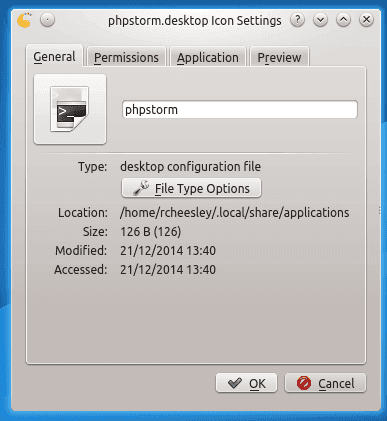
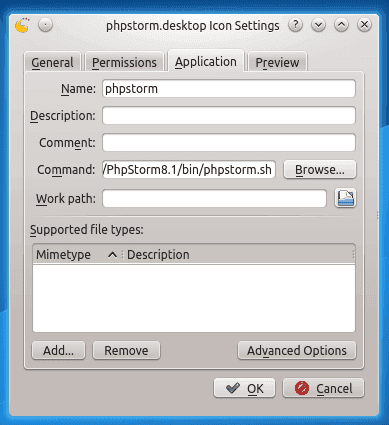
Me either! I’d consider myself to be fairly prioficient in IT and getting there with Linux systems, but I couldn’t figure this one out. Thanks to a 2012 post on the Ubuntu forums, however, I found the answer!

Yep! Who knew! As soon as I realised this (thanks to the aforementioned forum post) I found what I was looking for - a way to either use system icons, or find an icon of my own, to associate with the shortcut! Hurrah!
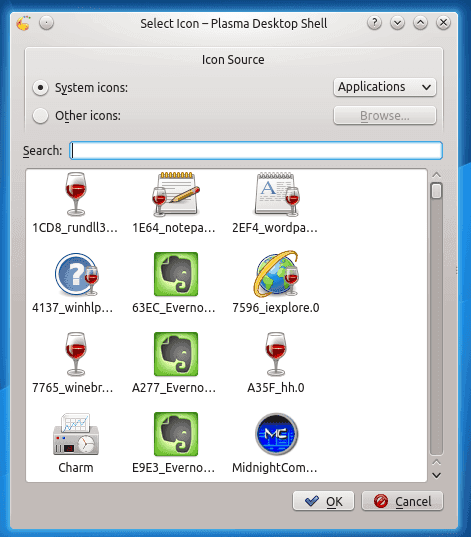
So, this clearly has been an issue since 2012 at least, judging by the forum post, and it’s still a pretty poor user interface as it doesn’t clearly indicate that it’s possible to change the icon by clicking on it unless you already know that, or accidentally happen to click it. I spent a good 30 minutes actively trying to figure this out (because, let’s face it, who likes having to read the manual!) and I couldn’t find it.
Question to those skilled in UI/UX would be, how could/should this be improved? For example, I could see a small button under the icon saying ‘edit icon’ would be a simple-ish addition but make it a much easier process to edit the icon. Any thoughts? I’d like to figure out how to make this suggestion to KDE so if you’ve got any thoughts please post in the comments!
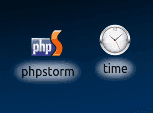 Now I have shiny new icons, hopefully less frustrating accidental clicks will be occurring!


0 comments
No comments yet - be the first.